Adding Charges to a Purchase Order
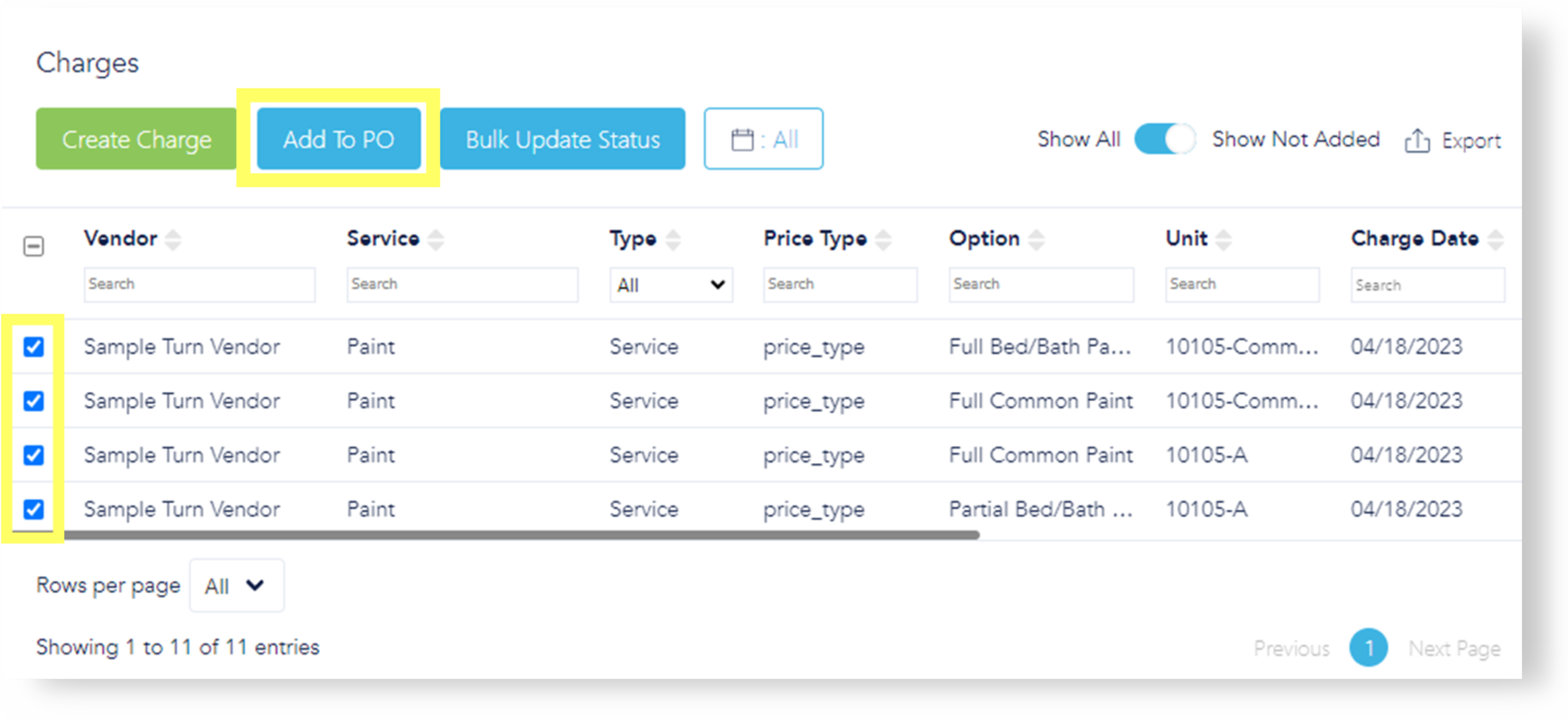
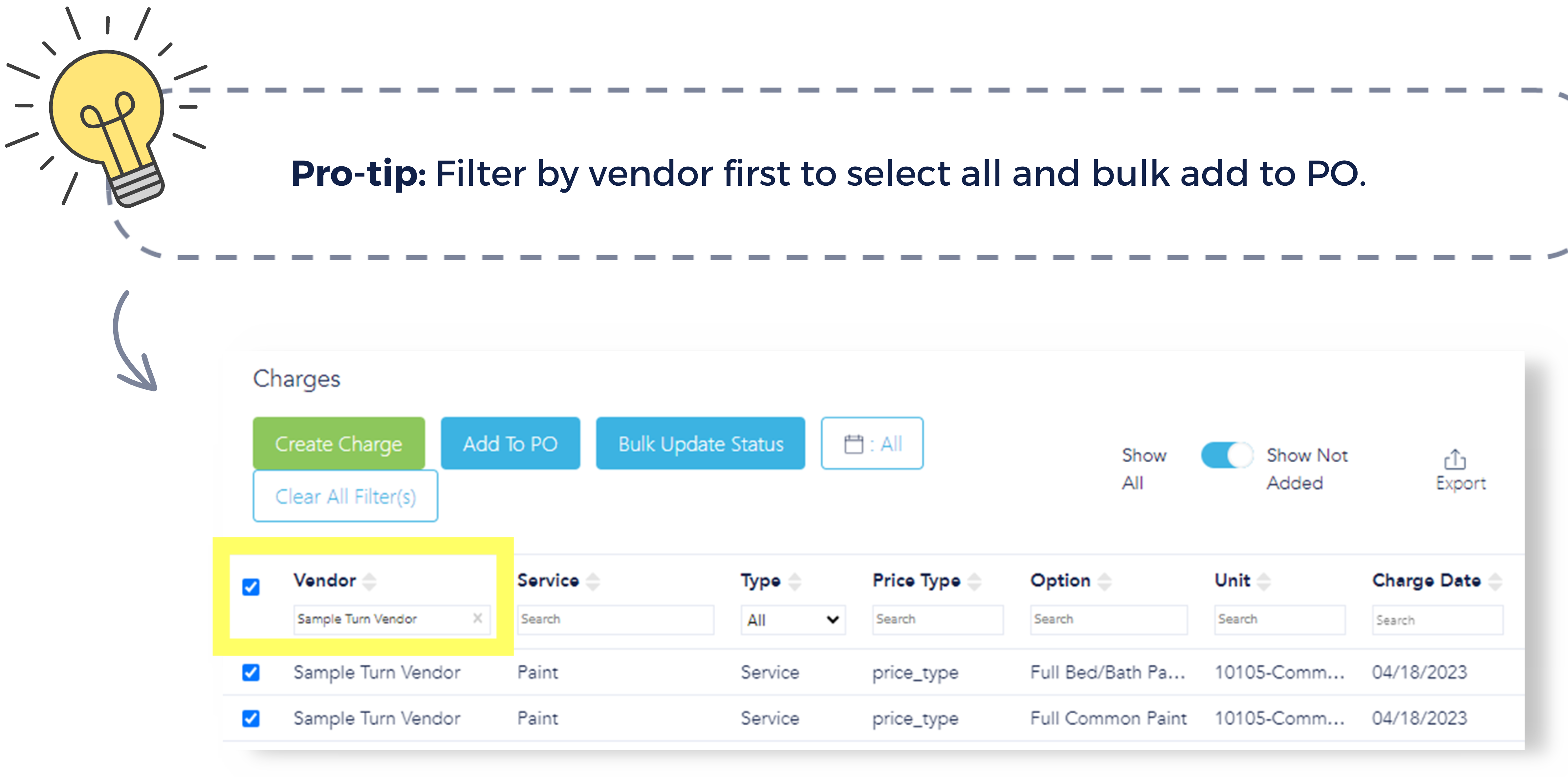
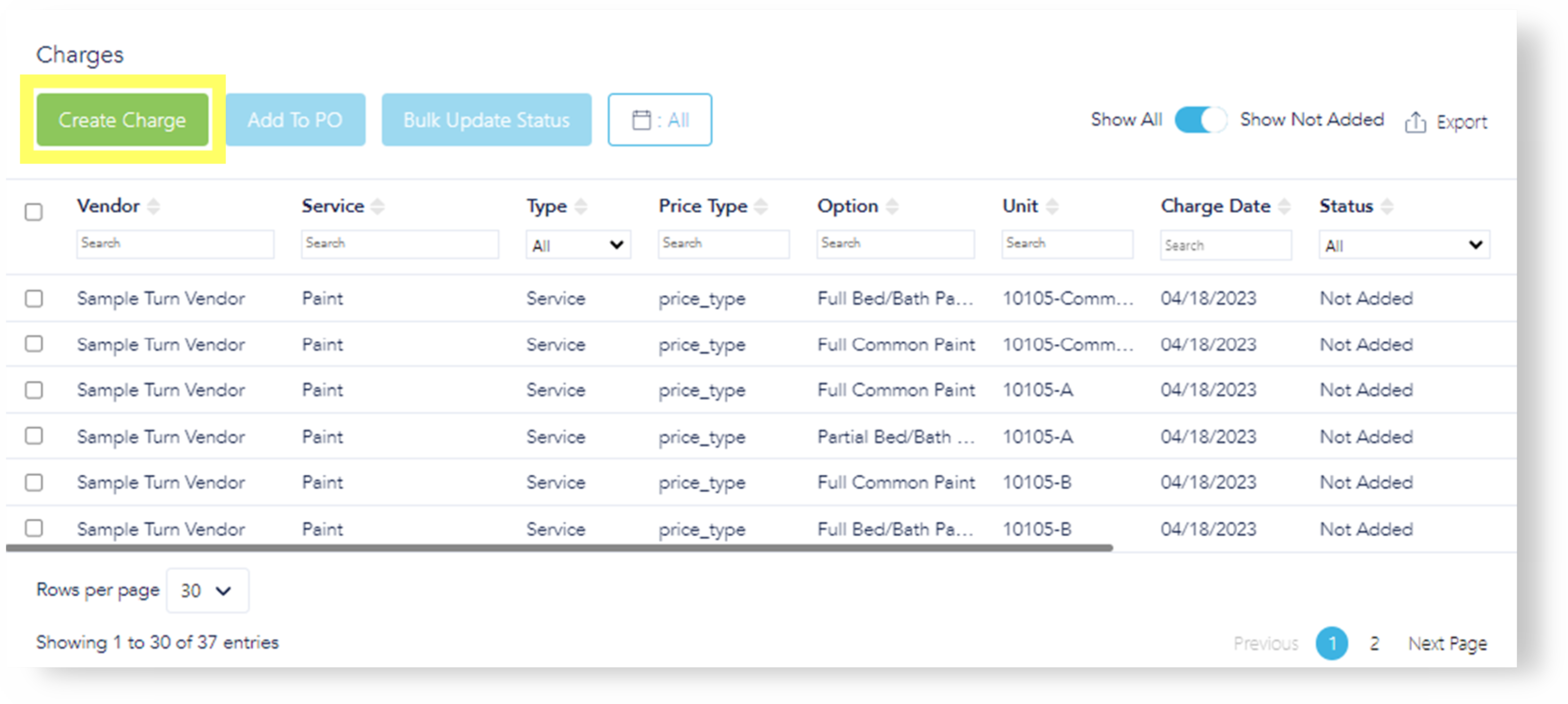
To add charge(s) to a Purchase Order (PO) at your desired cadence, check the respective box(es) and select "Add to PO."
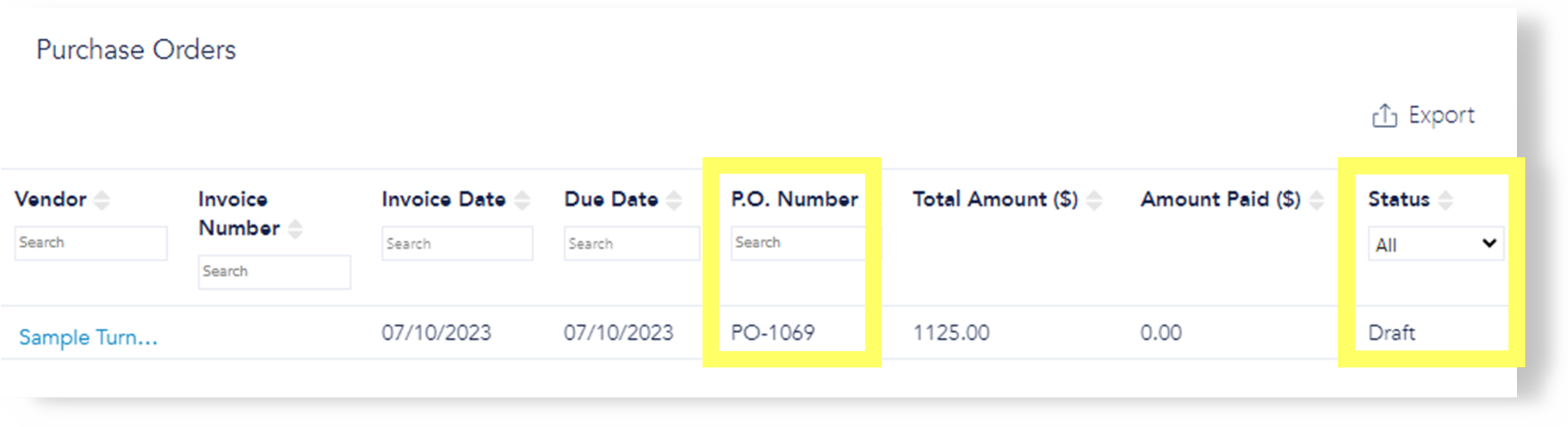
The status of the charge(s) changes to "Added," the PO number is now provided, and the PO is in "Draft" status.
If a PO is deleted and "Charges" is refreshed, the charges that were on the PO will revert to "Not Added" status, and the PO number will be removed.
Under "Edit PO," charges can be deleted, if needed. Deleted charges go back to "Not Added" status under "Charges."
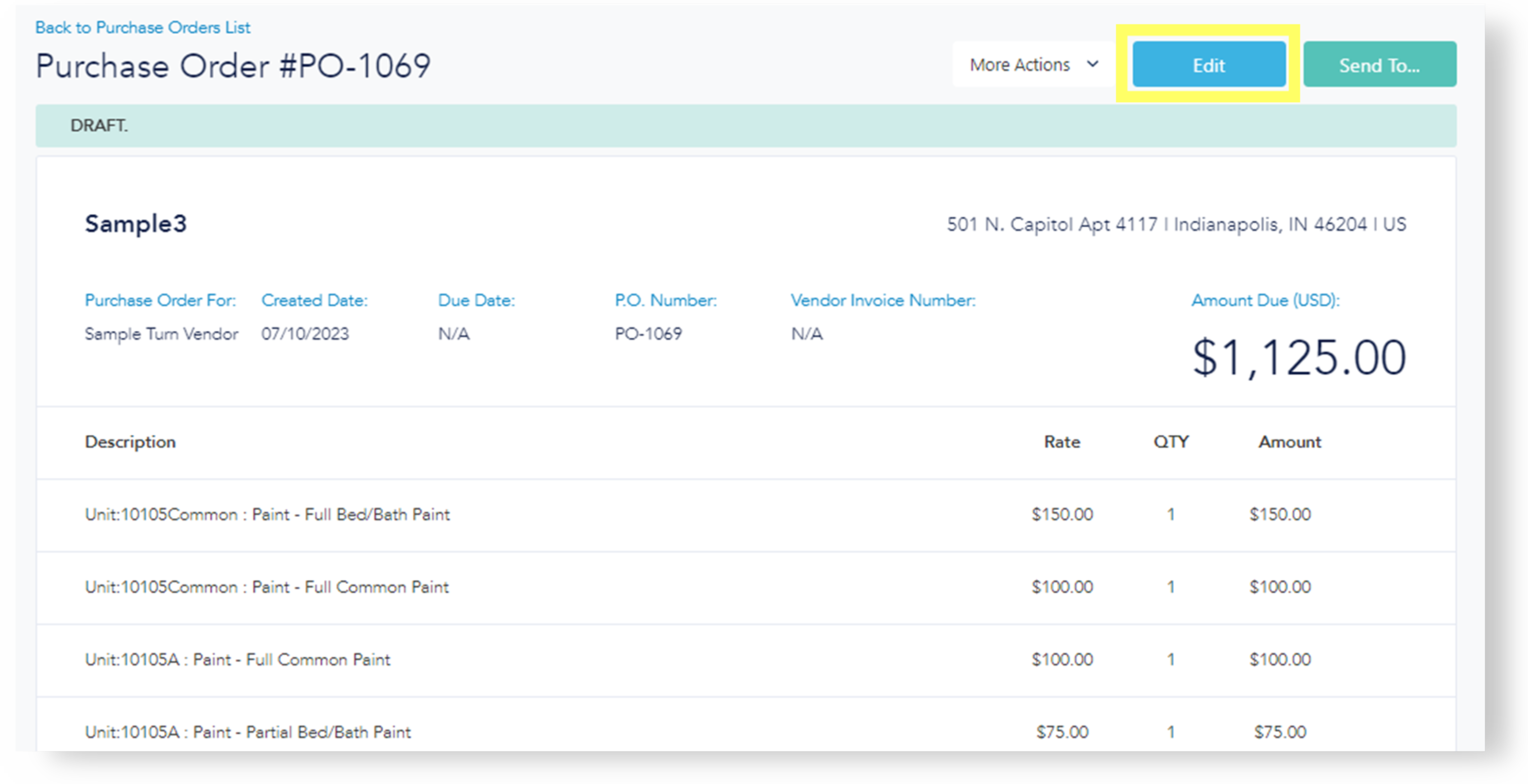
Once a charge is added to a PO, it cannot be altered. To modify a charge, remove it from the PO, make the necessary changes, and then re-add it to the PO.
Once a PO is approved, you cannot pull a charge from a PO to make a change.
Impact on services workflow: Once a charge has been added to a PO and approved on that service, it cannot be moved back. To reverse this action, the respective charge must be removed from the PO.
Adding Manual Charges
To create a charge manually, click "Create Charge."
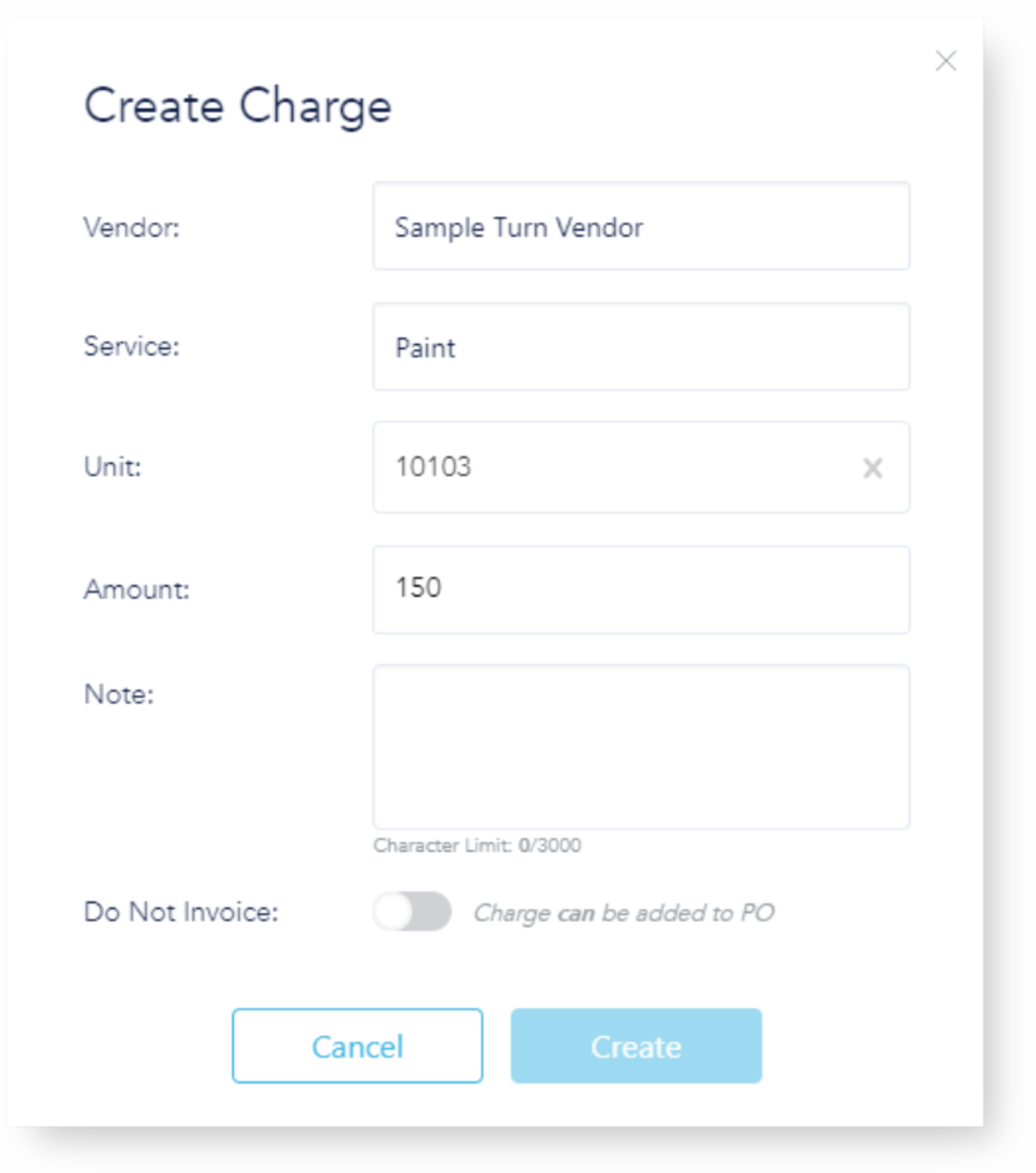
Complete the requested information in the pop-up. Invoice option default is set to add created charge to a PO. Toggle off if you do not want to add a created charge to a PO.
Select charge(s) to add and then "Add to PO"- choose to create new or add to existing.