Keys Dashboard Overview
Time to move out those residents! Key management in Turnable is super simple and user friendly!
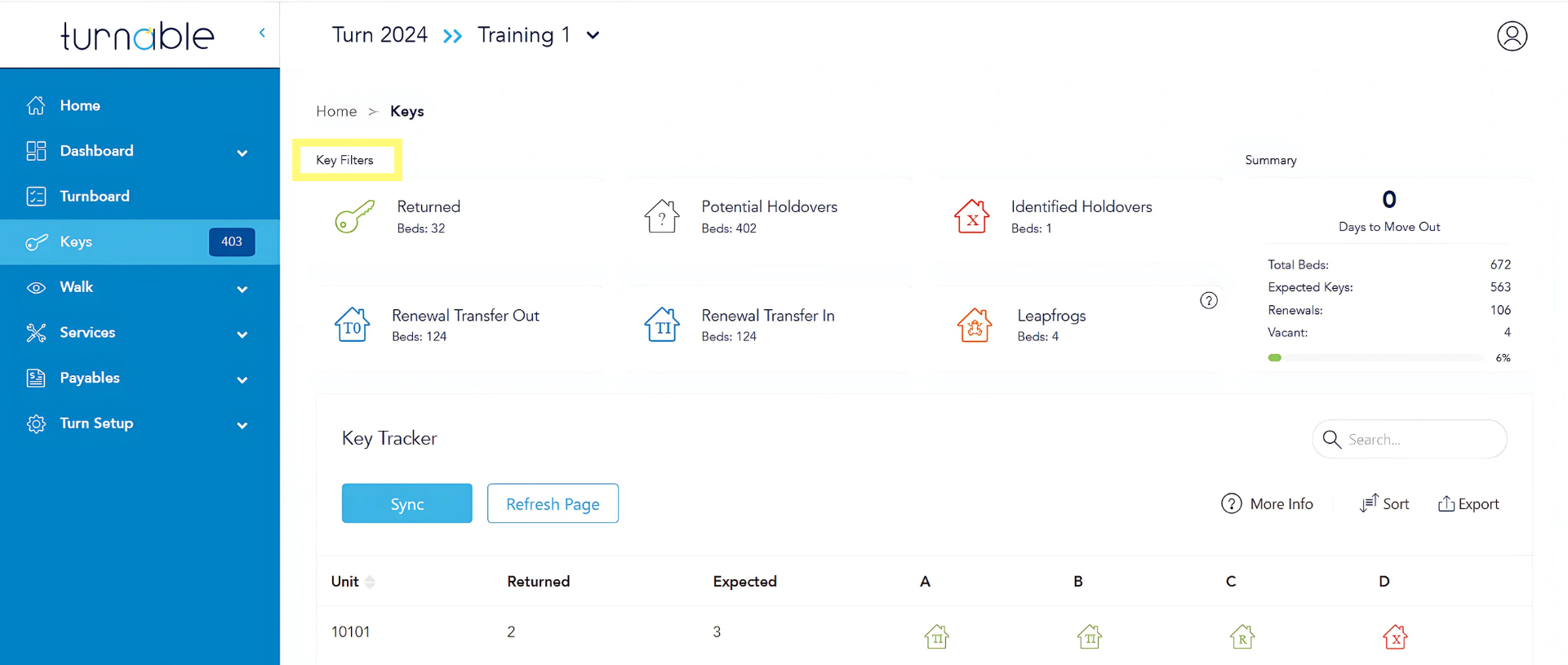
Track keys seamlessly using the Keys Dashboard! Use the filter cards to sort unit data and easily locate individual spaces and resident information in the Key Tracker. In the keys tab, keep your records up-to-date with manual sync options and effortlessly manage key returns with just a few clicks.
Simply click on "Keys" in the left-hand menu to get started.
Key Filters
Each filter card can be clicked to filter unit data. To unfilter and view all units, simply click the card again.
Key Tracker
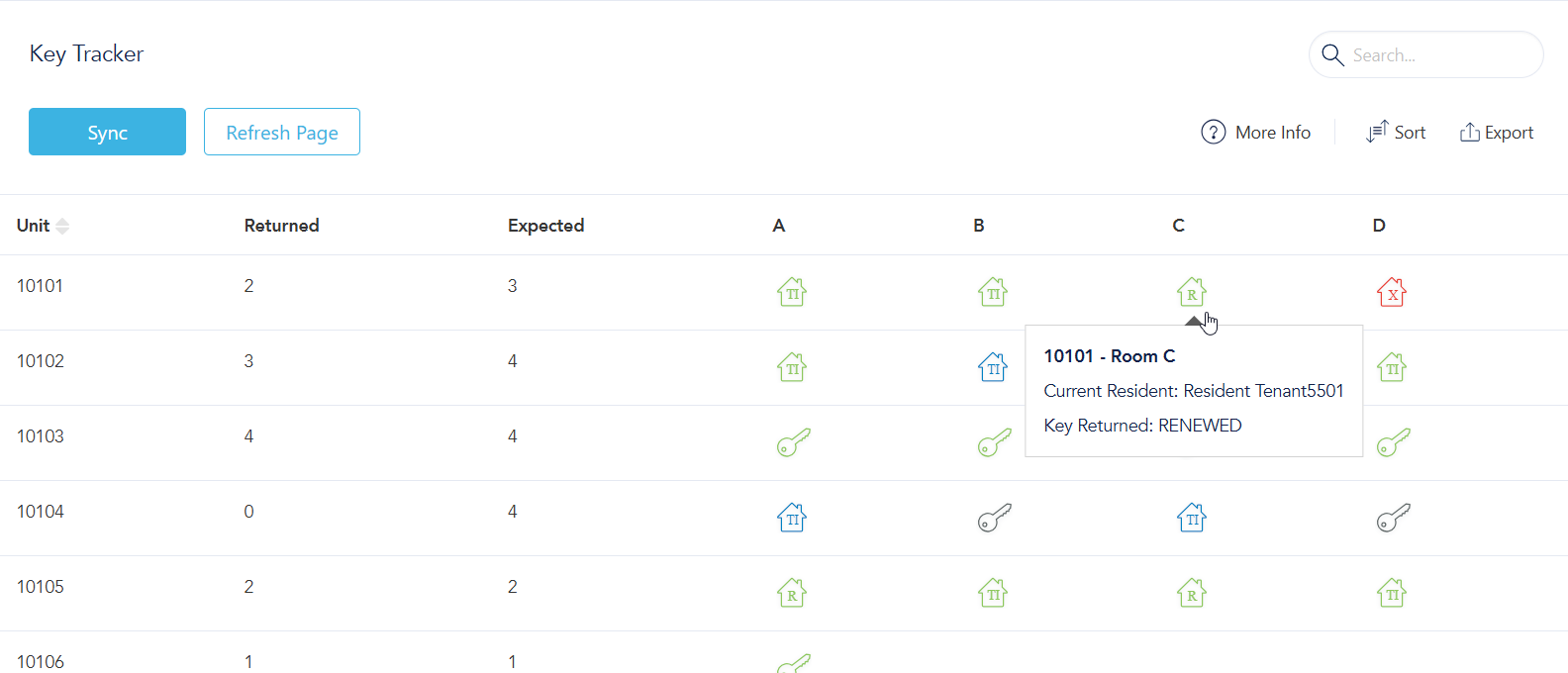
Individual space and resident data is located in the Key Tracker area. Use the search box in the top right corner of the Key Tracker to find a unit either by unit number or resident name.
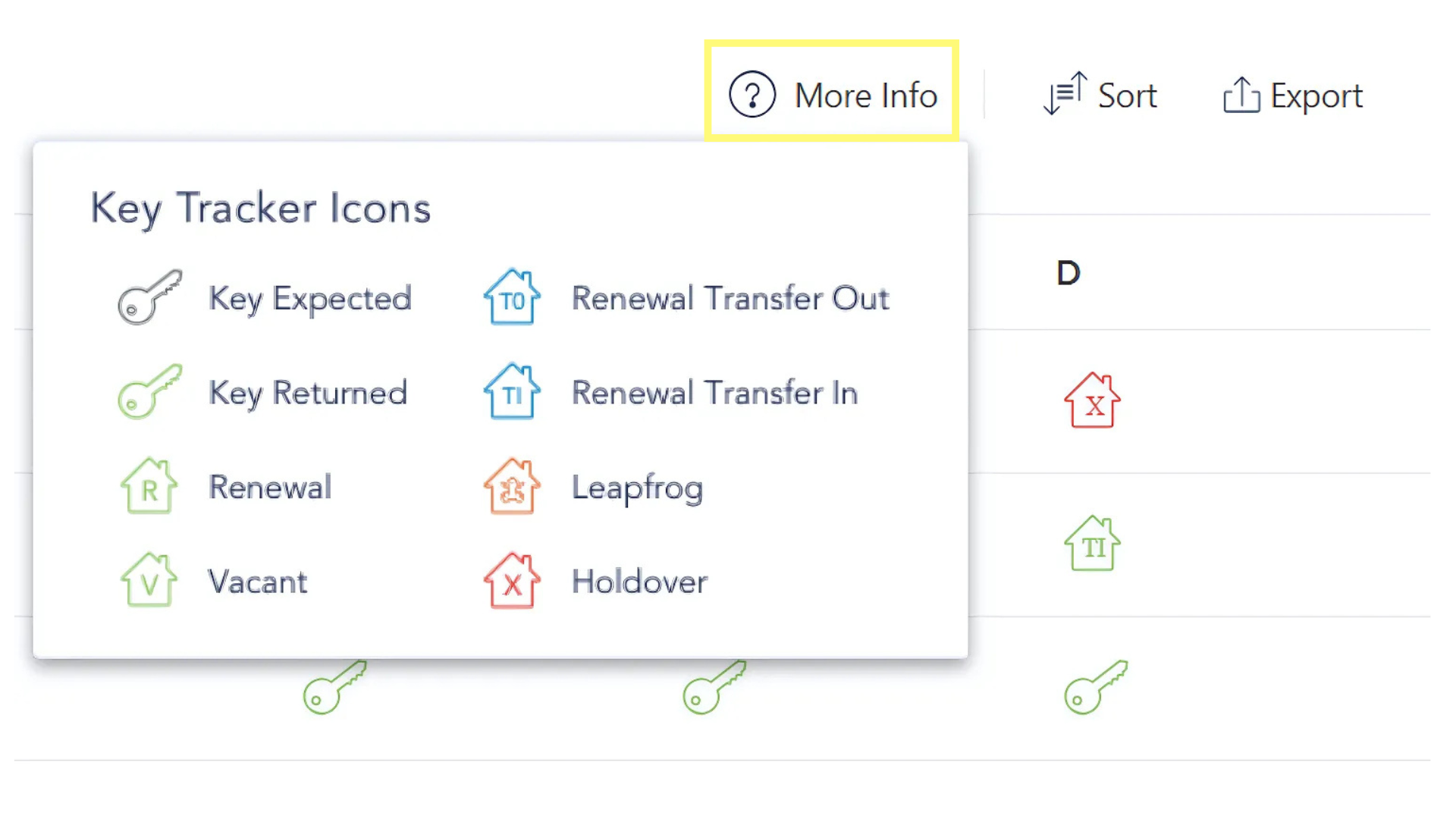
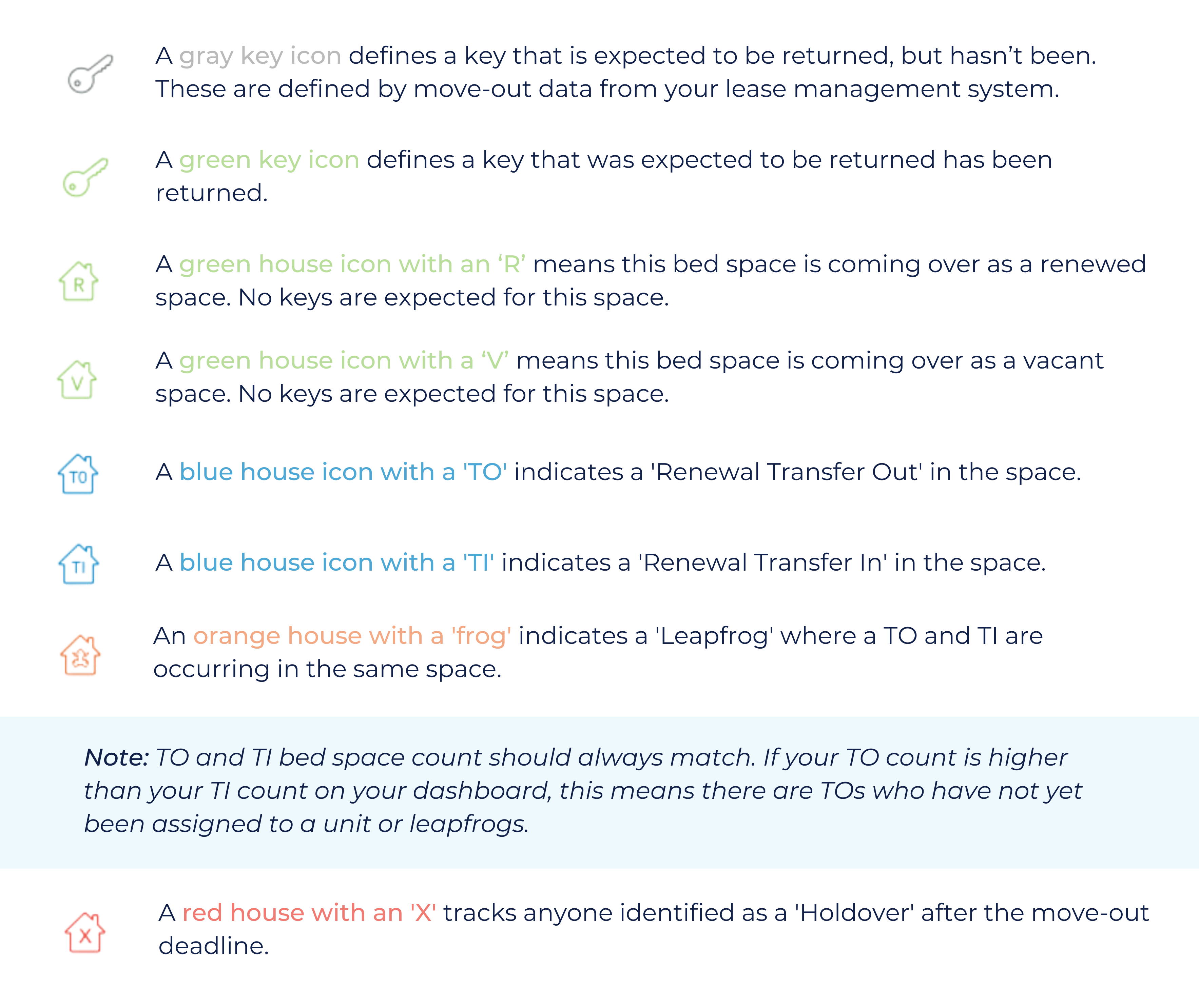
"More Info" provides an icon key to better understand the Keys tab.